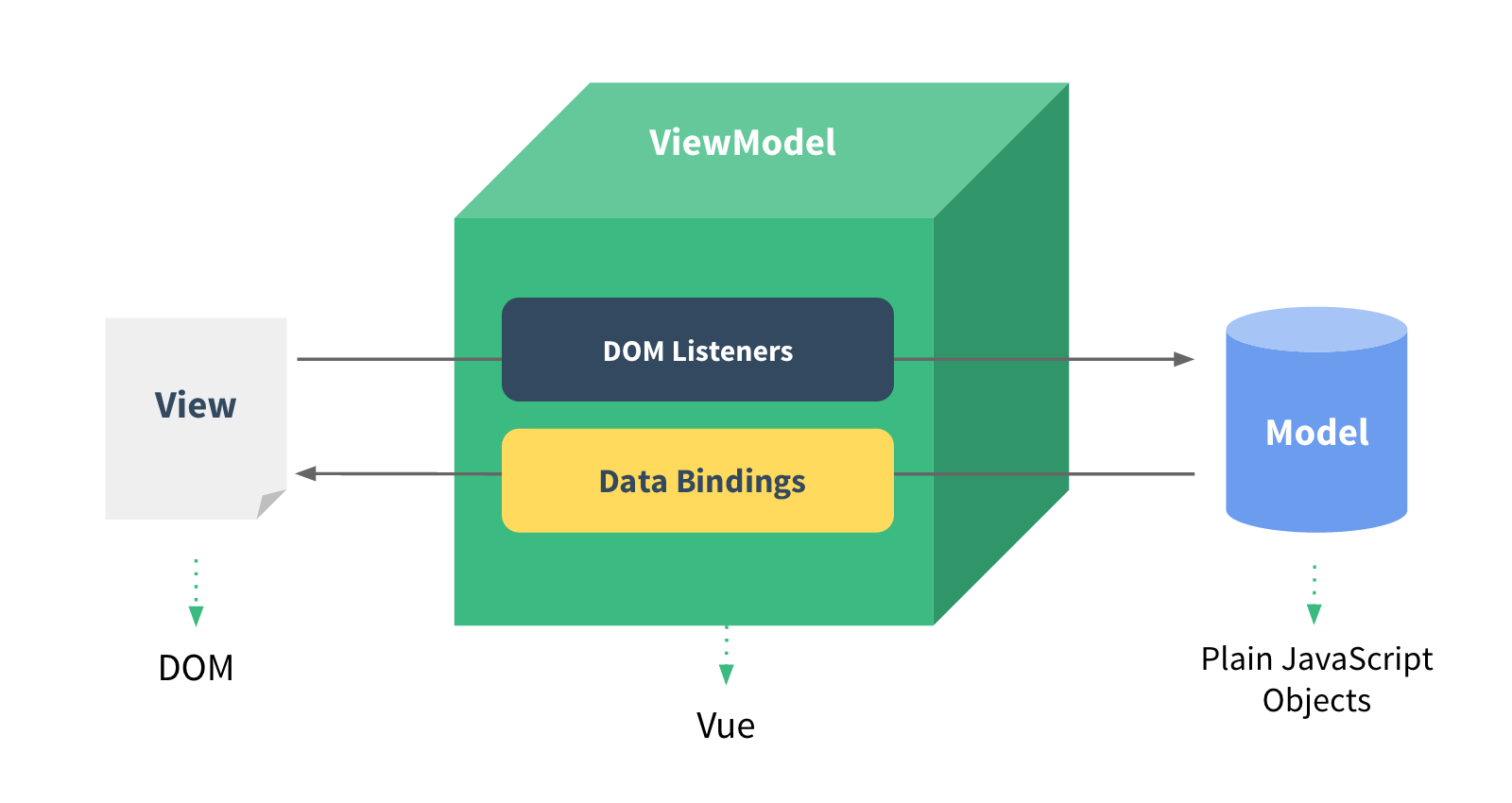
Vue 对象的改变会直接影响到 HTML 的标签的变化,而且标签的变化也会反过来影响 Vue 对象的属性的变化
一、数据渲染
1
2
3
| <div>{message} div>
<div v-html="htmlMess">div>
<div v-text="message">div>
|
二、属性绑定
1
2
3
| <h1 v-bind:title="message">aaah1>
<a v-bind:href="url">百度a>
<a :href="url">百度a>
|
三、类名绑定
1
2
3
4
5
6
7
8
9
10
11
12
13
14
|
<div v-bind:class="active : isActive">div>


<div v-bind:class="active:isActive,red:isRed">div>


<div v-bind:class="classObj">div>


<div v-bind:class="[active,red]">div>


<div v-bind:class="isActive ? active : red">div>
|
四、样式绑定
1
2
3
4
5
6
7
8
|
<div v-bind:style="{width:width,height:height}">div>


<div v-bind:sytle="styleObj">div>


<div v-bind:style="[styleObj1,styleObj2]">div>
|
五、条件绑定
1
2
3
4
5
6
7
8
9
10
11
12
13
14
15
16
17
18
19
20
21
|
<p v-if="seen">hahahp>


<p v-show="seen">hahp>


<p v-for="list in lists">{{alist.text}}p>


<p v-for="value in lists">{{value}}p>


<p v-for="(key value) in lists">{{key}}:{{value}}p>


<p v-for="(index key value) in lists">{{index}}:{{key}}:{{value}} p>


<p v-for="n in 10">{{n}}p>
|
六、事件绑定
1
2
3
4
5
6
7
8
9
10
11
12
13
14
15
16
17
18
19
20
21
22
23
24
25
26
27
28
|
<a v-on:click="fun1">点击a>


<a @click="fun1">点击a>


<a v-on:click.stop="doThis">a>


<form v-on:submit.prevent="onSubmit">form>


<a v-on:click.stop.prevent="doThat">a>


<form v-on:submit.prevent>form>


<div v-on:click.capture="doThis">...div>


<div v-on:click.self="doThat">...div>


<a v-on:click.once="doThis">a>
|
七、按键绑定
相应按键按下时触发
1
2
| <input v-on:keyup.enter="submit">
<input @keyup.enter="submit">
|
全部的按键别名:
.enter .tab.delete (捕获 “删除” 和 “退格” 键) .esc.space .up.down .left .right .ctrl.alt.shift .meta
八、双向绑定
1
2
3
4
5
6
7
8
9
10
| <p>{message}p>
<input type="text" v-model="message"/>
<select v-model="message" id="aa">
<option>百度option>
<option>腾讯option>
<option>阿里option>
select>
|
绑定修饰符
v-model.lazy 将input同步改为change同步 -v-model.mumber 将能转化为数字的字符串转化为数字v-model.trim 过滤空格


